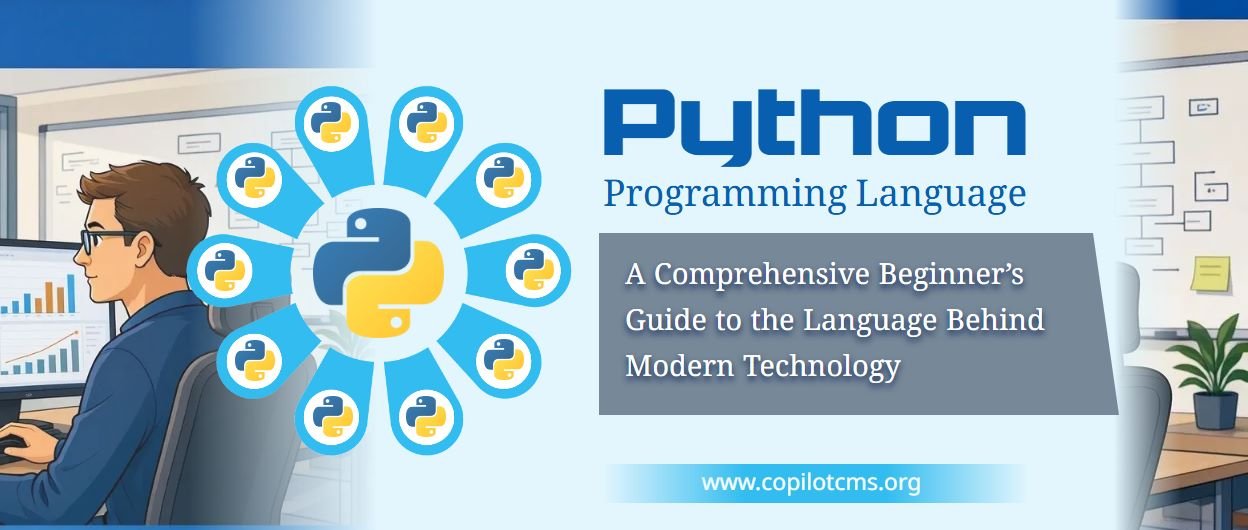
Python Programming Language A Comprehensive Beginner’s Guide to the Language Behind Modern Technology
What if you could teach a computer to organize thousands of files, analyze mountains of data, build a website, or even help power an artificial intelligence system—all by writing instructions in a language designed to be relatively easy to read? That is the appeal of Python, one of the most widely used programming languages in the modern world.
What Is Python?
Python is a general-purpose programming language that allows people to give instructions to computers. It can be used to build websites, automate repetitive tasks, analyze information, create software, develop games, and work with artificial intelligence and machine learning.
Like other programming languages, Python provides a structured way to tell a computer what to do. However, it is particularly well known for its readable syntax, which often resembles ordinary English more closely than many other programming languages.
For example, suppose you want a computer to display a greeting. In Python, you can write:
print("Hello, world!")When this instruction runs, Python displays:
Hello, world!The print() function tells Python to display something, while the text inside the quotation marks is the message to display. Even someone who has never programmed before can begin to understand what this instruction does.
Python is not limited to simple demonstrations like this. The same language can be used to build large applications, process scientific data, operate automated workflows, and support complex AI systems.
Why Is Python Called Python?
Despite its name, Python is not named after the snake. Its creator, Guido van Rossum, chose the name in the late 1980s while drawing inspiration from the British comedy television series Monty Python's Flying Circus.
The language was first publicly released in 1991. Since then, it has developed into a major programming language supported by a large international community of developers, educators, researchers, and organizations.
Python's development has been guided by an emphasis on readability, simplicity, and practical usefulness. Its design philosophy encourages programmers to write code that people can understand and maintain, rather than merely code that computers can execute.
How Does Python Work?
A computer's processor ultimately works with machine-level instructions represented through binary values. Human beings, however, generally prefer to express ideas using words, numbers, and familiar symbols. Programming languages provide a bridge between these two worlds.
Python allows a programmer to describe a task in a relatively human-readable form. A Python implementation then processes those instructions and arranges for the appropriate operations to take place.
From Python Code to Results
Consider the following simple program:
price = 500
quantity = 3
total = price * quantity

print(total)
This program calculates the cost of three items priced at 500 units of currency each. Python processes the instructions and displays:
1500Several things happen behind the scenes:
- You write the instructions. The program describes the calculation you want to perform.
- Python processes the code. The Python interpreter reads and executes the instructions according to the language's rules.
- The computer performs the work. Its processor, memory, and other resources are used as needed.
- You receive the result. In this example, Python displays the total price.
The details are more involved than this simplified description, but the basic idea is straightforward: you express a task in Python, and the Python software translates that request into operations the computer can carry out.
What Is the Python Interpreter?
The Python interpreter is the software that processes Python programs. You can think of it as an interpreter between a person giving instructions in one language and a machine that needs those instructions processed in a form it can execute.
In the commonly used CPython implementation, Python source code is generally compiled into an intermediate form called bytecode, which is then executed by the Python virtual machine. Other implementations may work differently.
This is one reason Python is sometimes described as an interpreted language, although the distinction between interpreted and compiled languages is more complicated than it may first appear.
What Makes Python Different from Other Programming Languages?
There are many programming languages, including JavaScript, Java, C, C++, C#, and Rust. Each has its own strengths, design choices, and common applications. Python stands out because it combines relatively readable syntax with a broad collection of libraries and tools.
1. Readable and Relatively Simple Syntax
Python code often requires fewer symbols and less boilerplate than equivalent code in some other languages. This makes it easier for beginners to focus on the problem they are trying to solve rather than on complicated language rules.
For example, here is a Python program that checks whether someone is old enough to vote, assuming the voting age is 18:
age = 20

if age >= 18:
    print("You are old enough to vote.")
else:
    print("You are not old enough to vote.")
The program checks the value of age. If it is 18 or greater, Python displays the first message. Otherwise, it displays the second.
The structure is easy to follow because the code uses familiar words such as if and else. The indentation also makes the two possible outcomes visually clear.
2. General-Purpose Capabilities
Some programming languages are strongly associated with particular environments or types of software. Python, by contrast, is used across many fields.
A Python programmer might automate office work in the morning, analyze a scientific dataset in the afternoon, and develop a web application later. The language does not restrict its users to one particular industry.
3. A Large Ecosystem of Libraries
Python's standard library provides many useful capabilities, and thousands of third-party packages extend the language further. These packages allow programmers to reuse existing solutions instead of creating every feature from scratch.
For example, a programmer working with data might use a package designed for tables and calculations. Someone developing an AI application might use a machine-learning framework. A web developer might choose a framework that handles routing, requests, and other common web tasks.
This ecosystem makes Python especially practical: programmers can concentrate on solving their specific problems while relying on established tools for routine work.
Understanding the Basic Building Blocks of Python
Before exploring advanced applications, it helps to understand the fundamental concepts that make Python programs work. These concepts appear in almost every kind of software, regardless of the programming language.
1. Variables: Giving Information a Name
A variable is a name associated with a value. It lets a program store information and refer to it later.
Imagine a labeled box in which you keep a particular item. The label tells you what the box represents, while the contents provide the information you need. A variable serves a similar purpose, although Python variables are names bound to objects rather than literal physical boxes.
name = "Sara"
age = 25
city = "Lahore"

print(name)
print(age)
print(city)
Here, the program associates the names name, age, and city with three values. It can use those values whenever they are needed.
Variables can also be reassigned. For example, age = 26 makes the name age refer to the integer 26 instead of 25.
2. Data Types: Different Kinds of Information
Programs handle different kinds of information, and those kinds affect what operations make sense. Python has several built-in data types.
- Integers (
int): Whole numbers, such as 10, 250, or -3. - Floating-point numbers (
float): Numbers that can represent fractional values, such as 3.14 or 19.5. - Strings (
str): Text, such as names, addresses, and messages. - Booleans (
bool): The logical valuesTrueandFalse. - Lists (
list): Ordered collections of items. - Dictionaries (
dict): Collections that associate keys with values. - Tuples (
tuple): Ordered collections that cannot have their elements reassigned through ordinary item assignment. - Sets (
set): Collections designed to hold distinct elements.
Here is a small example:
product = "Notebook"
price = 250
in_stock = True
colors = ["blue", "black", "red"]

print(product)
print(price)
print(in_stock)
print(colors)
The program represents a product using text, its price using a number, its availability using a Boolean, and its possible colors using a list.
Python is dynamically typed, which means you generally do not have to declare a variable's type before using it. Python determines the type of the object associated with a variable at runtime.
3. Operators: Performing Calculations and Comparisons
Operators tell Python to perform actions on values. Arithmetic operators handle calculations, while comparison operators help a program make decisions.
a = 10
b = 3

print(a + b)   # Addition: 13
print(a - b)   # Subtraction: 7
print(a * b)   # Multiplication: 30
print(a / b)   # Division: approximately 3.33
print(a // b)  # Floor division: 3
print(a % b)   # Remainder: 1
print(a ** b)  # Exponentiation: 1000
Comparison operators include == for equality, != for inequality, > for greater than, and <= for less than or equal to.
One important beginner distinction is that = assigns a value, while == compares two values. Confusing these operators can lead to errors in programs.
4. Conditional Statements: Teaching a Program to Make Decisions
Many programs must respond differently depending on the circumstances. A shop's software might offer a discount when a purchase exceeds a certain amount, for example.
total = 2500

if total >= 2000:
    print("You qualify for a discount.")
else:
    print("No discount is available.")
The condition determines which branch runs. This is similar to following a decision tree: if one condition is true, follow one path; otherwise, follow another.
Python also supports elif, which allows a program to check additional conditions when earlier conditions are false.
5. Loops: Repeating Tasks Automatically
Suppose you want to display the names of 100 customers. Writing a separate instruction for every customer would be tedious. Loops let a program repeat an action without duplicating the same code many times.
for number in range(1, 6):
    print(number)
This program displays the numbers 1 through 5. The for loop takes each number produced by range(1, 6) and runs the indented instruction once for that number.
A while loop repeats instructions as long as a condition remains true. Both kinds of loops are useful for processing collections, repeating calculations, and automating workflows.
A practical warning: a loop that never reaches a stopping condition can run indefinitely. Beginners should make sure their loops have a clear way to finish.
6. Functions: Reusable Instructions
A function is a named block of code that performs a particular task. Functions help organize programs into smaller pieces that can be reused.
Imagine a coffee machine. You choose the required settings, press a button, and the machine carries out a familiar sequence of actions. A function similarly packages a task behind a name that you can use whenever you need it.
def greet(name):
    print("Hello, " + name + "!")

greet("Sara")
greet("Ahmed")
The function greet() receives a value called name and uses it to create a greeting. Calling the function with different arguments produces different messages.
Functions can also return results instead of displaying them. This is especially useful when the output must be used in another calculation.
def calculate_total(price, quantity):
    return price * quantity

total = calculate_total(500, 3)
print(total)
The function calculates the total and returns it to the calling code. The returned value can then be stored, displayed, or passed to another function.
7. Lists and Dictionaries: Organizing Information
Real programs often work with collections rather than individual values. A list can hold several items in a particular order.
fruits = ["apple", "banana", "mango"]

print(fruits[0])
print(fruits[1])
Python displays apple and banana. List positions begin at zero, so the first item is at index 0 rather than index 1.
A dictionary is useful when information is best accessed through named keys:
student = {
    "name": "Sara",
    "age": 20,
    "course": "Computer Science"
}

print(student["name"])
print(student["course"])
This structure resembles a small record containing related information. Dictionaries are widely used for settings, structured data, API responses, and other tasks in which values are associated with meaningful keys.
8. Classes and Objects: Organizing More Complex Programs
As programs grow, developers often need ways to represent things that have both information and behavior. Object-oriented programming provides one approach.
Think of a blueprint for a car. It describes characteristics a car may have and actions it may perform. Individual cars built from that blueprint are different objects, each with its own state.
In Python, a class defines a type of object, while an object is an instance of that class.
class Dog:
    def __init__(self, name):
        self.name = name

    def bark(self):
        print(self.name + " says woof!")

my_dog = Dog("Buddy")
my_dog.bark()
This example defines a Dog class with a name and a bark() method. The program creates a dog named Buddy and calls its method.
Classes are helpful when modeling related entities and behaviors in larger applications. However, not every Python program needs classes; straightforward functions and data structures are often enough for smaller tasks.
Indentation: Why Spacing Matters in Python
In many programming languages, curly brackets mark the beginning and end of code blocks. Python instead uses indentation to indicate which instructions belong together.
temperature = 35

if temperature > 30:
    print("It is hot today.")
    print("Drink plenty of water.")

print("Weather check complete.")
The first two print() instructions are indented, so they belong to the if block. The final instruction is not indented, so it runs after the conditional block regardless of whether the condition is true.
This design encourages visually organized code, but it also means inconsistent indentation can cause errors. Python programmers commonly use four spaces for each indentation level and avoid mixing tabs and spaces.
What Can You Build with Python?
Python is used in many areas of computing. Its usefulness comes partly from the language itself and partly from the tools, libraries, and frameworks built around it.
1. Web Development
Python can power the server-side parts of websites and web applications. The server-side code handles requests, applies business rules, retrieves information from databases, and sends responses to users' browsers.
For example, when someone signs in to a website, Python code might check the submitted credentials, retrieve the appropriate account information, and determine which page the user should see.
Popular Python web frameworks include Django, Flask, and FastAPI. Django provides a broad collection of built-in features, Flask offers a lightweight starting point, and FastAPI is designed for building modern APIs with support for type annotations and automatic documentation.
Python is primarily used for server-side logic in web development, although it can also support tools and workflows that generate or manage front-end resources. Browsers still rely mainly on HTML, CSS, and JavaScript for the conventional client-side web experience.
2. Data Analysis and Visualization
Organizations collect information about sales, customers, expenses, website traffic, scientific measurements, and many other activities. Raw data, however, does not automatically reveal useful patterns.
Python helps people clean, organize, analyze, and visualize these datasets. Libraries such as pandas support tabular data analysis, while Matplotlib helps create charts and graphs.
Imagine a shop owner who has thousands of sales records. A Python program could calculate monthly revenue, identify the most popular products, compare sales across branches, and produce charts that make trends easier to understand.
Instead of examining each transaction manually, the owner can use a program to process the records consistently and much more efficiently.
3. Artificial Intelligence and Machine Learning
Python has become a major language for artificial intelligence research and development. It is widely used to prepare training data, build machine-learning models, run experiments, evaluate results, and connect AI models to applications.
Libraries and frameworks such as PyTorch, TensorFlow, and scikit-learn provide tools for different machine-learning tasks.
For example, a developer might use Python to train a model that identifies patterns in historical sales data or classifies photographs into categories. Another developer might use it to build an application that communicates with an existing language model.
However, Python does not automatically make an application intelligent. An AI system requires an appropriate model, data or other inputs, computational resources, and a carefully designed workflow. Many high-performance operations are carried out by optimized libraries or specialized hardware rather than by ordinary Python code alone.
4. Automation and Scripting
One of Python's most practical uses is automating repetitive computer tasks. Many activities that require a person to repeat the same steps can be handled by a script.
For example, Python can help with:
- Renaming hundreds of files according to a consistent pattern.
- Organizing documents into folders based on file types or dates.
- Extracting information from spreadsheets and generating reports.
- Checking whether websites or services are responding.
- Processing text files and finding particular words or patterns.
- Combining information from multiple data sources.
Consider a person who receives 200 spreadsheet files every month and must combine their contents into a single report. A Python script could automate much of this process, reducing repetitive work and helping prevent manual errors.
Automation still requires care. Scripts should be tested before being allowed to modify important files, send messages, or perform other consequential actions.
5. Scientific Computing and Research
Scientists and engineers use Python to analyze experimental results, simulate systems, perform mathematical calculations, and visualize research findings.
Libraries such as NumPy provide efficient tools for numerical computing, while SciPy offers additional scientific algorithms. Researchers can combine these tools with visualization libraries to examine complex results.
For instance, a researcher studying weather patterns might process large collections of temperature measurements, calculate averages, compare historical trends, and visualize changes over time.
6. Desktop Applications
Python can also be used to build graphical desktop software. Toolkits such as Tkinter, PySide, and PyQt allow developers to create windows, buttons, menus, forms, and other interface elements.
A small desktop application might help someone track personal expenses, manage a collection of books, or organize daily tasks. Python can handle the underlying logic while a graphical toolkit provides the interface.
7. Education and Learning Programming
Python is widely used in programming education because its syntax allows learners to explore fundamental concepts without immediately confronting as much language-specific complexity as they might encounter elsewhere.
Students can begin with simple calculations, conditions, loops, and functions, then gradually move toward file processing, web development, databases, and data science.
Learning Python also introduces transferable programming concepts. Variables, conditions, loops, functions, data structures, debugging, and algorithmic thinking are useful in many other languages.
8. Networking, Testing, and System Administration
Python is useful for managing computer systems, testing software, and working with networks. Administrators can automate routine maintenance, while developers can write tests that check whether an application behaves as expected.
Testing tools such as pytest help developers organize and run automated tests. Python can also be used to send network requests, inspect service responses, and automate certain administrative workflows.
Its suitability depends on the task. Python is not necessarily the best choice for every low-level system component, but it is often an effective tool for coordinating operations and automating work around those components.
A Real-World Example: Building a Simple Expense Calculator
Let's bring several Python concepts together with a small example. Imagine you want to calculate the total cost of three everyday purchases.
expenses = [250, 400, 150]

total = sum(expenses)

print("Your total expenses are:", total)
The program displays:
Your total expenses are: 800Here is what each part does:
expenses = [250, 400, 150]creates a list containing three expense amounts.sum(expenses)adds the numbers together.total = sum(expenses)stores the calculated result in a variable.print()displays a message and the total.
Now imagine extending this program so that it accepts user input, groups expenses by category, saves the results to a file, or creates a monthly report. Each new feature introduces additional concepts, but the basic structure remains manageable.
This is one of Python's strengths: a useful program can begin with just a few lines and gradually grow as its requirements become more sophisticated.
How to Get Started with Python
One of the advantages of learning Python is that you do not need expensive equipment or a complicated development environment to begin. A suitable computer, access to a Python environment, and a text editor are enough for many introductory exercises.
Step 1: Choose How You Will Run Python
There are several ways to start programming in Python.
- Install Python on your computer. The official Python website provides downloads and installation guidance. This approach lets you run programs locally.
- Use an online Python environment. Browser-based tools allow you to write and execute code without configuring a local installation first.
- Use a development environment. Editors and integrated development environments provide features such as syntax highlighting, debugging, code completion, and project management.
For beginners, the simplest option is usually the one that lets them start writing and running small programs immediately.
Step 2: Write Your First Program
Create a file containing the following instruction:
print("Hello, world!")Save the file as hello.py. If Python is installed and available from your command line, you can run it with a command such as:
python hello.pyOn some systems, the command is python3 hello.py instead. The precise command depends on your operating system and installation.
If the program runs successfully, you should see the greeting printed on the screen. This small exercise confirms that your environment can execute Python code.
Step 3: Learn the Fundamentals in Order
A practical learning sequence might look like this:
- Printing output, comments, and basic syntax.
- Variables, data types, and operators.
- Conditions and Boolean logic.
- Loops and iteration.
- Functions and reusable code.
- Lists, dictionaries, tuples, and sets.
- Reading and writing files.
- Handling errors and exceptions.
- Using modules and installing packages.
- Building small projects that combine these concepts.
This order provides a foundation before introducing more specialized topics. You do not need to memorize every feature before beginning a project; learning becomes more effective when new concepts are applied to practical problems.
Step 4: Practice with Small Projects
Programming is a practical skill. Reading explanations is useful, but writing and modifying code is what helps you understand how the concepts fit together.
Good beginner projects include:
- A calculator that performs basic arithmetic.
- A number-guessing game.
- A simple to-do list.
- An expense tracker.
- A program that counts words in a text file.
- A program that organizes files by extension.
- A quiz that asks questions and calculates a score.
Start with the simplest working version. Once it functions correctly, add features gradually. For example, a quiz could begin with three fixed questions and later support more questions, score tracking, and saving results.
What Are Python Libraries, Modules, and Packages?
As your programs become more ambitious, you will encounter three closely related terms: modules, packages, and libraries. Understanding the general distinction makes Python's ecosystem easier to navigate.
Modules
A module is commonly a Python file containing code that can be imported and reused. It might define functions, classes, variables, or other useful elements.
For example, Python includes a standard-library module called math:
import math

print(math.sqrt(81))
The program imports the module and uses its square-root function to display 9.0.
Packages
A package organizes related modules into a structure that can be imported as a unit. This organization becomes valuable when software contains many related components.
Libraries
A library is a broader term for reusable code that helps programmers accomplish particular tasks. A library might consist of a single module, multiple packages, or a more extensive collection of tools.
In everyday discussion, these terms are sometimes used loosely. The most important point is that Python developers can reuse code written by others instead of repeatedly solving the same problems.
What Is pip, and How Do Python Packages Get Installed?
Python's standard library provides many features, but specialized projects often need additional tools. pip is a commonly used installer for Python packages.
For example, a developer who wants to use the pandas data-analysis library may install it with:
python -m pip install pandasThe command asks Python to run pip and install the package in the relevant environment. Depending on your setup, you might need to use python3 instead of python.
Installing packages is only one part of managing a project. Developers often use virtual environments to keep each project's dependencies separate.
python -m venv .venvThis creates a virtual environment in a directory named .venv. Once activated, it can hold packages for that particular project without mixing them with those installed for other projects or for the system.
The exact activation command varies by operating system and shell. A virtual environment is especially useful when two projects depend on different versions of the same library.
What Is Object-Oriented Programming in Python?
Object-oriented programming, often abbreviated as OOP, is a way of organizing software around objects that combine data and behavior. Python supports this approach, although it also supports procedural and functional programming styles.
Consider a library management system. Each book might have a title, author, and availability status. A system could represent these as attributes and provide methods for borrowing or returning books.
Classes can help keep related information and operations together. They also support concepts such as inheritance, which allows one class to build on another, and encapsulation, which helps organize how a program exposes and manages its internal state.
OOP is particularly useful when a program contains many related entities and behaviors. However, it is a tool rather than a requirement. Simple scripts often remain easier to understand when written with ordinary functions and data structures.
What Is Python's Relationship with Databases?
Programs often need to store information beyond the lifetime of a single run. A shopping application might need to remember customers and orders, while a blog might need to store articles and user accounts. Databases provide structured ways to save, retrieve, and manage this information.
Python can communicate with databases through database drivers and higher-level libraries. The appropriate tool depends on the database system and the application's needs.
For example, Python includes the sqlite3 module for working with SQLite databases:
import sqlite3

connection = sqlite3.connect("example.db")
cursor = connection.cursor()

cursor.execute("""
    CREATE TABLE IF NOT EXISTS books (
        id INTEGER PRIMARY KEY,
        title TEXT
    )
""")

cursor.execute(
    "INSERT INTO books (title) VALUES (?)",
    ("Learning Python",)
)

connection.commit()
connection.close()
This example creates a small database file, defines a table if it does not already exist, inserts a book title, and saves the change.
The question mark in the SQL statement is a parameter placeholder. Passing the value separately helps keep data distinct from SQL instructions and protects against SQL injection when used correctly.
For a real application, developers must also consider duplicate records, transaction handling, error recovery, permissions, and whether a new database record should be created on every run. This example is intended to demonstrate the basic connection between Python and a database rather than provide a complete production-ready design.
What Is the Difference Between Python and JavaScript?
Python and JavaScript are both popular programming languages, but they have different histories, ecosystems, and common uses.
JavaScript is the standard programming language for adding interactive behavior to conventional web pages in browsers. It can also run on servers and in other environments through platforms such as Node.js.
Python is widely used for automation, data analysis, AI development, scientific computing, scripting, and server-side web applications.
There is some overlap. Both languages can be used for web servers, automation, and a range of application types. A developer may even use Python for a website's back end and JavaScript for its front end.
For a beginner, the best starting language depends on the intended goal. Python is an excellent choice for general programming, data-oriented work, automation, and AI experimentation. JavaScript is especially useful for people who want to build interactive browser-based applications.
What Is the Difference Between Python and C++?
Python and C++ illustrate how programming languages can make different trade-offs.
Python generally emphasizes concise, readable code and convenient development. C++ provides extensive control over memory, object lifetimes, and low-level implementation details, making it suitable for many performance-sensitive applications.
For example, a developer might use Python to analyze a dataset and experiment with an algorithm, while using C++ for a component that requires especially careful control over execution speed or memory use.
Python can also be fast enough for many demanding tasks, especially when its programs rely on optimized numerical libraries. The best choice depends on the workload, development requirements, available tools, and performance constraints.
Is Python Slow? Understanding Its Performance
Python is often slower than compiled languages such as C or C++ for certain CPU-intensive operations implemented directly in ordinary Python code. This is partly because Python performs many operations dynamically at runtime and because its common implementation introduces execution overhead.
However, programming-language performance is not determined by the language name alone. The algorithm, amount of data, implementation, libraries, and hardware all influence the result.
For example, a Python program that performs a huge number of simple operations in a tight loop may run more slowly than an equivalent optimized C++ program. But a Python program that uses NumPy to perform large numerical calculations can delegate much of the heavy work to highly optimized native code.
Python also benefits from relatively rapid development. A program that is easier to build, test, and maintain may be the more practical choice even if its raw execution speed is not the highest possible.
When performance becomes a problem, developers can measure the program to identify the actual bottleneck. They might improve the algorithm, use a more suitable data structure, reduce unnecessary work, use optimized libraries, or move a particularly demanding component to another implementation.
What Are Python's Limitations?
Python is versatile, but it is not the ideal tool for every situation. Understanding its limitations helps developers choose it for the right reasons.
1. Execution Speed
Pure Python code can be slower than carefully optimized compiled code for CPU-heavy workloads. Applications requiring extremely low latency or intensive low-level processing may benefit from other languages or specialized components.
2. Mobile App Development
Python can be used to develop some mobile applications, but it is not the dominant choice for mainstream native Android and iOS development. Kotlin and Java are common on Android, while Swift is widely used for Apple's platforms.
Python may still be useful for a mobile application's back end, supporting services, or selected cross-platform approaches.
3. Browser-Based Interfaces
Python is not a direct replacement for JavaScript in ordinary web browsers. Although some tools can run Python-like code or Python runtimes in browser environments, JavaScript remains the standard choice for conventional client-side web programming.
4. Dependency Management
Projects can depend on different package versions, and installing incompatible dependencies may cause problems. Virtual environments and carefully maintained dependency lists help keep projects reproducible.
5. Runtime Errors
Python's dynamic typing makes many tasks convenient, but some mistakes are discovered only when the relevant code runs. Testing, clear function interfaces, type hints, and static-analysis tools can help detect errors earlier.
6. Distribution and Deployment
Sharing a Python program with someone who does not have the required environment can require extra setup. Developers may need to package the application, include dependencies, configure the target system, and test compatibility.
These limitations do not make Python a poor choice. They simply show why choosing a programming language involves more than comparing syntax or popularity.
Common Beginner Mistakes and How to Avoid Them
Every new programmer encounters errors. Learning to understand and fix them is an essential part of programming rather than a sign of failure.
1. Indentation Errors
Because indentation defines code blocks, an incorrectly indented line may cause Python to reject the program or behave differently than expected.
How to avoid it: Use consistent indentation, usually four spaces per level, and let your editor handle automatic indentation when possible.
2. Confusing Assignment with Comparison
Using = instead of == in a comparison can lead to a syntax error or an incorrect understanding of the code.
How to avoid it: Remember that assignment associates a name with a value, while equality comparison checks whether two values are equal.
3. Forgetting That Indexes Start at Zero
Trying to access the first list item with items[1] returns the second item, not the first. If the list has only one item, that index is out of range.
How to avoid it: Use items[0] for the first item and check the length of a list before accessing positions that may not exist.
4. Mixing Strings and Numbers
Text and numbers are different data types. For example, adding the string "5" to the integer 3 does not perform ordinary numerical addition and may raise a TypeError.
How to avoid it: Convert values deliberately when needed, using functions such as int(), float(), or str(). Always consider whether the conversion makes sense for the data.
5. Writing Loops That Never End
A while loop may continue indefinitely if its condition never becomes false.
How to avoid it: Identify what will make the condition change and test the loop with a small example before applying it to a large task.
6. Ignoring Error Messages
Python's error messages often identify the type of error and provide a traceback showing where the problem occurred. The final line frequently contains the most important clue.
How to avoid it: Read the error message carefully, examine the indicated line, and reproduce the problem with the smallest possible example. Avoid changing many unrelated parts of the program at once.
7. Copying Code Without Understanding It
Copying an example can be a useful way to get started, but it becomes less helpful when you cannot explain what the code does.
How to avoid it: Change a variable, modify a condition, add a feature, or deliberately introduce a small error and observe what happens. Experimentation builds understanding.
How to Debug a Python Program
Debugging means finding and fixing problems in a program. A program may fail because its syntax is invalid, because an operation is not allowed, or because it runs successfully but produces the wrong result.
A systematic approach is more effective than making random changes.
- Reproduce the problem. Identify the input or action that causes it.
- Read the error message. Look for the exception type, message, and relevant traceback lines.
- Inspect the values. Use
print()or a debugger to see what the program is actually working with. - Reduce the example. Remove unrelated code until the problem becomes easier to understand.
- Change one thing at a time. This helps you determine whether a fix addresses the real cause.
- Test the result. Confirm that the program now works and that the change has not introduced another problem.
For example, if a program calculates the wrong total, print the individual values before the calculation. You may discover that one value is stored as text, a list contains an unexpected item, or a calculation is being performed in the wrong place.
Debugging is not separate from programming. It is one of the core skills that makes programming work in practice.
Is Python Safe? Security Considerations
Python is neither inherently secure nor inherently insecure. The security of an application depends on how it is designed, the packages it uses, the permissions it receives, and the environment in which it runs.
Developers should follow basic security practices when writing Python applications.
- Validate input received from users and external systems.
- Use parameterized database queries rather than combining untrusted text with SQL commands.
- Avoid running unknown code or installing packages from untrusted sources.
- Keep dependencies updated and review security advisories when appropriate.
- Store passwords, API keys, and other secrets securely rather than embedding them in public source code.
- Use appropriate permissions and avoid granting scripts unnecessary access to files or systems.
- Handle errors carefully so that sensitive information is not exposed to users.
Python makes it possible to build secure applications, but the language cannot automatically prevent every security mistake. Sound software design and responsible development practices remain essential.
What Is the Future of Python?
Python has an established role in education, automation, web development, scientific computing, and data analysis. Its importance in AI development has also made it especially visible in recent years.
Several characteristics support its continued use: readable syntax, a broad package ecosystem, extensive learning resources, and a large developer community. Organizations can often find existing tools and experienced programmers for common Python tasks.
Python continues to evolve through new language releases, improvements to performance, and changes in its surrounding ecosystem. Its future will depend on how well it adapts to changing technical needs and how effectively its community maintains the tools that developers rely on.
Nevertheless, no programming language is guaranteed to remain the best choice for every future application. Python is valuable because it solves many real problems well, not because it replaces every other language.
Frequently Asked Questions About Python
Is Python easy to learn for beginners?
Python is often considered one of the more approachable languages for beginners because its syntax is relatively readable and its basic programs can be short. However, learning to write reliable software still requires practice, problem-solving, and an understanding of programming concepts.
Is Python free to use?
Yes. Python is open-source software distributed under a permissive license. You can generally download it, use it, and develop applications with it without paying a license fee. Individual third-party tools and services may have their own terms or costs.
Can I learn Python without knowing another programming language?
Yes. Python is suitable as a first programming language. You can begin with simple instructions and gradually learn variables, conditions, loops, functions, and data structures without prior programming experience.
How long does it take to learn Python?
The answer depends on your goals, available time, and previous experience. You may learn basic syntax and write simple scripts in a relatively short period, while becoming proficient in software development, data science, or machine learning takes substantially longer. Consistent practice and small projects are more useful than trying to memorize the entire language at once.
Can Python be used to create websites?
Yes. Python is commonly used for server-side website development and APIs through frameworks such as Django, Flask, and FastAPI. Conventional interactive browser interfaces usually also involve HTML, CSS, and JavaScript.
Can Python create games?
Yes. Python can be used to create simple games and some more sophisticated projects. Libraries such as Pygame provide tools for graphics, input, sound, and game loops. However, many commercial games use engines and languages selected for their particular performance and development requirements.
Can Python be used for artificial intelligence?
Yes. Python is widely used to develop and experiment with AI and machine-learning systems. It can prepare data, run models, evaluate results, and connect AI capabilities to applications. The computational work may also rely on optimized native libraries and specialized processors.
Does Python work on Windows, macOS, and Linux?
Yes. Python is available for all three operating systems. Most ordinary Python code can run across platforms, although programs that depend on operating-system-specific features, external software, or particular file paths may require adjustments.
Do I need a powerful computer to learn Python?
No. Basic Python programming, small automation scripts, and many introductory projects can run on modest hardware. Large AI models and intensive scientific workloads may require significantly more memory, processing power, or specialized hardware, but those are not prerequisites for learning the language.
Should I learn Python or another programming language first?
Choose according to what you want to build. Python is a strong starting point for general programming, automation, data science, and AI. JavaScript is particularly useful for interactive websites, while C and C++ are valuable for learning low-level programming and working on performance-sensitive systems. The programming concepts you learn in one language can help you learn others later.
The Takeaway
Python is a versatile, readable programming language that helps people turn ideas into working software. From automating repetitive tasks and analyzing data to developing websites and building AI applications, it offers a practical starting point for many areas of modern computing.
Its greatest strength is not that it makes every programming problem easy, but that it allows people to express many kinds of solutions without unnecessary complexity. A short program can solve a small everyday problem, while the same language can serve as part of a much larger software system.
If you are new to programming, start with a few lines of code, experiment with variables and conditions, and build small projects that solve problems you understand. You do not need to learn everything at once. Each program you write gives you another opportunity to understand how computers follow instructions—and how you can use those instructions to make technology work for you.