
Why Do Some Websites Start With HTTP and Others With HTTPS?
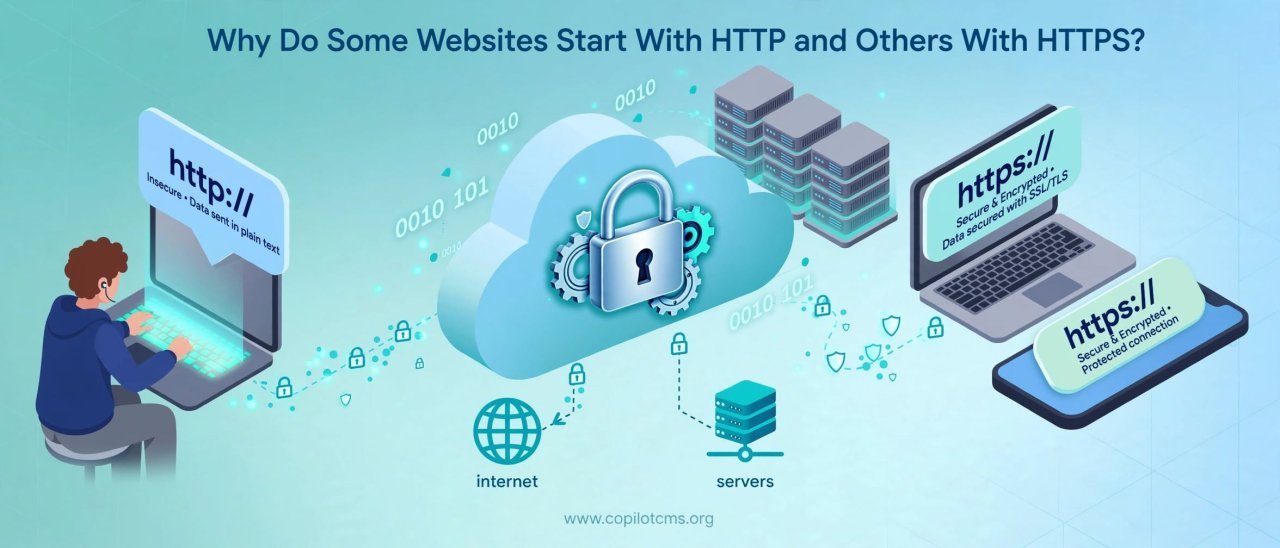
When you visit a website, you may notice that its address begins with http:// or https://. They look almost identical, but that small S represents an important difference: HTTPS adds a layer of security that helps protect information traveling between your device and the website.
What Do HTTP and HTTPS Actually Mean?
HTTP stands for Hypertext Transfer Protocol. It is a set of rules that allows your web browser and a web server to communicate with each other.
When you type a website address into your browser, your browser needs to communicate with the computer hosting that website. It might ask for a webpage, an image, a stylesheet, or other information, and the server sends the requested data back.
HTTP provides the basic rules for that conversation.
HTTPS stands for Hypertext Transfer Protocol Secure. It uses HTTP together with encryption and security mechanisms provided by TLS (Transport Layer Security).
In simple terms, HTTP is the communication system, while HTTPS is that same system with a protected connection.
The Real-World Version: A Postcard vs. a Sealed Letter
Imagine sending a message through the mail.
With ordinary HTTP, imagine writing your message on a postcard. The postal system can deliver it, but the information is not hidden inside an envelope. Someone who can observe the postcard while it is being transported could potentially read what is written on it.
HTTPS is more like putting that message inside a sealed, tamper-resistant envelope. The message is still delivered through the same postal system, but the contents are protected while traveling.
This analogy is not perfect because modern HTTPS provides several types of protection, not just secrecy. But it gives you the basic idea: HTTPS helps protect the communication between your browser and the website.
What Happens When You Visit an HTTPS Website?
Suppose you visit a website such as:
https://example.com
Your browser and the website need to establish a secure connection before sensitive information is exchanged.
1. Your Browser Contacts the Website
Your browser first has to find the server responsible for the website and establish communication with it. This involves several pieces of Internet technology working together behind the scenes.
2. The Website Presents a Digital Certificate
The website provides a digital certificate. Among other things, the certificate helps the browser determine whether the website is associated with the domain it claims to represent.
You can think of the certificate as a kind of digitally signed identity document for the website.
3. Your Browser Checks the Certificate
Your browser checks whether the certificate is trustworthy, whether it applies to the website's domain, and whether it is still valid.
If something is wrong, the browser may display a security warning instead of quietly treating the connection as trustworthy.
4. The Connection Is Secured
The browser and server establish cryptographic keys that allow them to communicate securely.
After this process, information exchanged during the HTTPS connection is protected using encryption.
What Is Encryption Doing Here?
Encryption transforms readable information into a form that is difficult for an unauthorized observer to understand.
Imagine writing:
My password is apple123
An encrypted connection does not simply send that readable sentence across the Internet. Instead, the information is transformed using mathematical techniques so that someone intercepting the communication cannot simply read it as ordinary text.
The intended recipient, using the appropriate cryptographic keys, can turn the protected information back into something understandable.
This is why HTTPS is particularly important when you are sending information such as passwords, payment details, personal messages, or other private data.
Does HTTPS Protect Everything on the Internet?
No. This is an important distinction.
HTTPS primarily protects the communication between your browser and the website from being easily read or modified while it travels across the network.
It does not magically make the website itself trustworthy.
A fraudulent website can use HTTPS too. The connection can be encrypted even when the person operating the website is trying to trick you.
For example, imagine a scammer builds a fake banking website. That website can potentially have HTTPS and show the familiar padlock in the browser. The encryption protects your connection to the scammer's website, but it does not turn the scammer into a legitimate bank.
HTTPS means the connection is protected; it does not automatically mean the website deserves your trust.
Why Does HTTPS Matter?
HTTPS provides several important protections.
It Helps Keep Data Private
Encryption makes it much harder for someone observing network traffic to read the information being exchanged.
This is especially important when using public or shared networks such as Wi-Fi in cafés, airports, hotels, libraries, or other public places.
It Helps Prevent Tampering
HTTPS also helps protect the integrity of information traveling between your browser and the server.
Without appropriate protection, an attacker positioned between you and a website could potentially attempt to modify information while it is traveling.
With HTTPS, cryptographic protections help the browser detect unauthorized changes to the protected communication.
It Helps Verify the Website's Identity
Digital certificates are also part of HTTPS's identity system. They help establish that the connection is being made to the domain named in the certificate.
This does not prove that the people behind the website are honest, but it provides an important layer of authentication for the connection.
What Is the Difference Between HTTP and HTTPS?
The simplest comparison looks like this:
- HTTP: A standard protocol for transferring information between a browser and a web server.
- HTTPS: HTTP carried over a connection protected by TLS.
- HTTP: Does not provide the same encryption and authentication protections.
- HTTPS: Encrypts the connection and uses certificates as part of establishing trust in the website's identity.
The important difference is not that HTTPS is a completely different way of using the Web. It is essentially HTTP with a security layer around the communication.
Why Do Some Websites Still Use HTTP?
Today, HTTPS is the normal choice for modern websites, but you may still encounter HTTP addresses.
There can be several reasons.
Older Websites
A website that has not been maintained for many years may never have been properly configured for HTTPS.
Poorly Configured Servers
HTTPS requires a valid certificate and appropriate server configuration. A poorly maintained website may not have these things set up correctly.
Internal or Special-Purpose Systems
Some private or controlled environments may use HTTP for particular technical reasons. However, that does not make HTTP appropriate for sensitive information on the public Internet.
Legacy Content
Old links, documents, bookmarks, or applications may still contain HTTP addresses even if the website has since moved to HTTPS.
What Happens When You Type HTTP Instead of HTTPS?
Many modern websites automatically redirect an HTTP request to HTTPS.
For example, you might enter:
http://example.com
and the website may send your browser to:
https://example.com
This is called an HTTP redirect.
The website is essentially saying, "You asked for the old address; please use the secure version instead."
However, the details matter: the initial HTTP request is not protected by HTTPS. For this reason, websites should be configured so that users are directed to HTTPS safely and consistently.
What Does the Padlock in Your Browser Mean?
When you visit an HTTPS website, modern browsers generally provide a visual indication that the connection is secure. Depending on the browser, you may see a padlock or another security indicator near the address bar.
This indicates that the browser has established an HTTPS connection and that the connection passed the browser's relevant security checks.
It should not be interpreted as a guarantee that the website is honest, safe, or free from scams.
When dealing with an important website, especially a bank, online store, government service, or email provider, you should also check the actual domain name.
HTTPS Does Not Stop Every Kind of Attack
It is easy to think of HTTPS as an all-purpose security shield. It is not.
HTTPS helps protect data while it travels between your browser and the website, but many other security problems can happen outside that connection.
For example:
- A website can contain malicious or vulnerable software.
- A criminal can create a convincing fake website using HTTPS.
- Your computer or phone can already be infected with malware.
- You can accidentally give your password to a phishing website.
- The website's own servers could be compromised.
- A website operator can still collect and store information you intentionally submit.
HTTPS is therefore one important part of web security, not the entire security system.
Why HTTPS Is Especially Important for Passwords and Payments
Imagine logging into an online account using an unprotected connection. Your username and password would be traveling through a network without the protections provided by HTTPS.
The same concern applies when submitting payment information, personal information, or private messages.
HTTPS helps prevent people who can observe the network traffic from simply reading that information as it travels between your device and the server.
This is one reason modern websites handling accounts and personal information are expected to use HTTPS.
Does HTTPS Make a Website Slower?
Older explanations sometimes describe HTTPS as something that makes websites significantly slower because of the extra security work involved.
Modern web technology has changed that picture considerably.
There is some additional work involved in establishing a secure connection, but modern browsers, servers, networks, and cryptographic algorithms are designed to perform this work efficiently. For a properly configured website, HTTPS is not generally something users should avoid because they are worried about a large performance penalty.
In fact, modern websites commonly use HTTPS as the standard foundation for secure web communication.
What Is TLS?
You will often hear HTTPS described as "HTTP with SSL." That wording comes from an older technology called SSL, or Secure Sockets Layer.
SSL has been replaced by TLS, or Transport Layer Security, which is the modern technology used to protect HTTPS connections.
So when someone says that HTTPS encrypts a website's connection, TLS is the technology doing much of that security work.
You do not normally need to understand the mathematical details of TLS to use the Web safely. It is similar to how you can drive a car without knowing exactly how the engine's fuel-injection system works.
What Is a Digital Certificate?
A digital certificate helps connect a website's domain name with a cryptographic identity.
Think of it like an identity card that has been digitally signed by an organization your browser trusts.
When your browser connects to a website, the certificate helps it answer an important question:
"Am I really establishing this secure connection with the website associated with this domain?"
Certificates are issued by trusted certificate authorities, which are organizations participating in the system used by browsers and operating systems to establish trust.
Why Does the Website Address Sometimes Show Only the Domain?
Modern browsers often hide parts of a URL to make the address bar easier to read.
You may not always see the complete https:// prefix, but the browser can still be using HTTPS.
If you are unsure, click or interact with the browser's site information indicator or inspect the address carefully. The exact interface varies between browsers.
How Can You Tell Whether a Website Uses HTTPS?
There are a few simple things you can check.
- Look at the address bar.
- Check whether the address begins with https://, when the browser displays the protocol.
- Look for your browser's security indicator.
- Check the domain name carefully, especially before entering passwords or payment information.
Remember that seeing HTTPS alone is not enough to prove that a website is legitimate.
What Should You Do If Your Browser Says "Not Secure"?
If your browser warns that a website is not secure, pay attention to the warning rather than automatically ignoring it.
If the website is asking you to enter a password, payment details, or other sensitive information, be particularly cautious.
For an ordinary informational webpage that does not request sensitive information, the practical risk may be different, but the warning still means that the connection does not have the protections you would normally expect from a modern HTTPS website.
A Simple Way to Remember HTTP vs. HTTPS
Think of HTTP as sending information in an ordinary package without special protection.
Think of HTTPS as sending that information inside a protected package with security mechanisms that help keep its contents private and detect tampering during delivery.
The Internet still carries the package from one place to another. HTTPS simply adds important protection to the communication.
Why This Matters in Everyday Internet Use
You probably use HTTPS dozens or hundreds of times without thinking about it.
Whenever you sign into an account, search the Web, shop online, upload a document, send a message through a web application, or access an online service, your browser is constantly making connections with servers.
HTTPS helps protect those connections so that sensitive information is not simply exposed while traveling across the network.
It is one of those technologies that is mostly invisible when everything is working correctly—which is exactly how good security is often supposed to feel.
The Takeaway
HTTP is the basic protocol that lets web browsers and servers communicate. HTTPS uses HTTP together with TLS to protect that communication through encryption and authentication mechanisms.
The extra S is therefore much more than a letter. It represents an important layer of protection for modern web communication.
Just remember one crucial point: HTTPS helps secure your connection to a website, but it does not automatically make the website trustworthy. Check the actual web address, be cautious with unfamiliar sites, and never assume that a padlock alone means you are safe from scams.