
How Does My Phone Work as a Compass? Does It Need Internet or GPS?
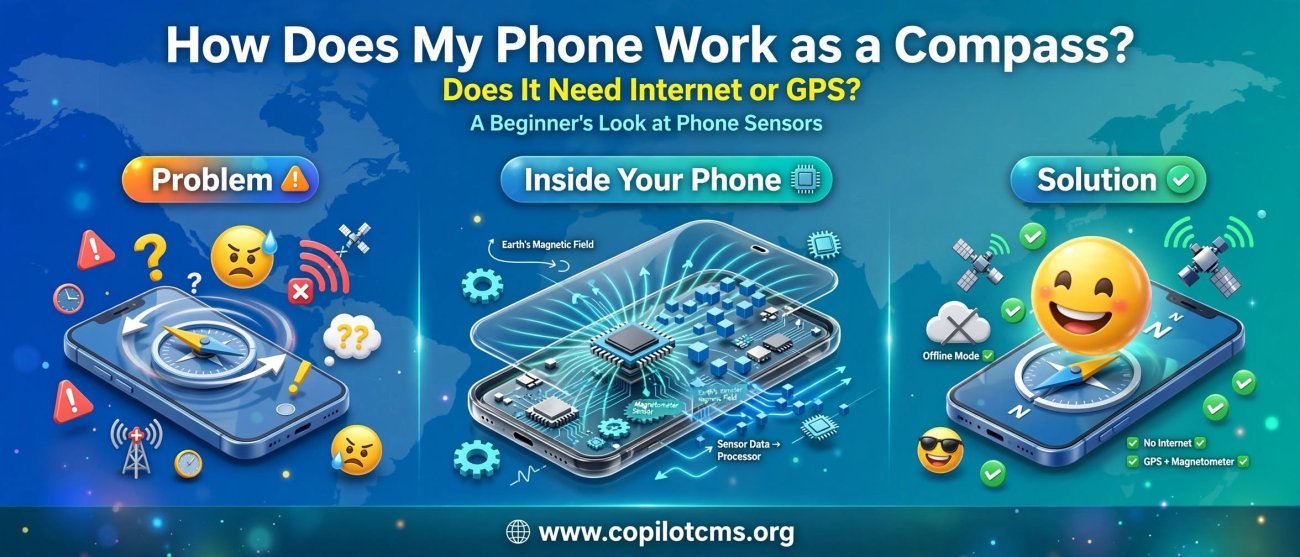
Your phone can tell you which way is north, even when you have no internet connection and, in many situations, no GPS signal at all. But how can a flat piece of glass and electronics inside your pocket know which direction you're facing?
How Can a Phone Know Which Way Is North?
The secret is a small collection of sensors inside your phone. The most important one for compass directions is called a magnetometer.
A magnetometer is an electronic sensor that detects magnetic fields. Since Earth itself produces a large magnetic field, your phone can use that field as a kind of invisible reference for direction.
Think of it like carrying a tiny electronic compass inside your phone. Instead of a traditional compass needle physically swinging around, the magnetometer measures the magnetic field electronically and sends that information to the phone's software.
The Real-World Version: A Tiny Compass in Your Pocket
Imagine walking through a forest with a traditional compass. The needle doesn't need a mobile network, Wi-Fi, or a map. It simply reacts to Earth's magnetic field and points roughly toward magnetic north.
Your phone's magnetometer does something similar, but electronically.
You can think of the process like this:
- Earth produces a magnetic field.
- The magnetometer detects that magnetic field.
- The phone measures the field in different directions.
- Software processes those measurements.
- The compass app converts the result into a direction such as north, south, east, or west.
So when your phone's compass says you're facing north, it isn't receiving a message from the internet saying, "You are facing north." It is measuring something happening around you.
What Exactly Is a Magnetometer?
The word magnetometer may sound complicated, but its job is fairly simple: it measures magnetic fields.
Inside many smartphones is a tiny sensor that can detect the strength and direction of magnetic fields along multiple axes. This allows the phone to determine how its body is oriented relative to Earth's magnetic field.
You can imagine the sensor as a tiny electronic measuring instrument with three directions:
- X-axis: left and right
- Y-axis: forward and backward
- Z-axis: up and down
By looking at the magnetic field along these different axes, the phone can work out how it is positioned.
Does a Phone Compass Need GPS?
No. A phone's basic compass does not need GPS to determine direction.
This is an important distinction because GPS and a compass answer different questions.
- GPS answers: "Where am I on Earth?"
- The compass answers: "Which direction am I facing?"
GPS determines your position by receiving signals from satellites. A magnetometer determines orientation by measuring magnetic fields.
For example, you could be standing in the middle of a remote area with no mobile signal and no internet connection. If your phone has a working magnetometer, its compass can still determine magnetic direction.
Then Why Do Compass Apps Sometimes Ask for Location?
This can make things confusing. If the compass itself doesn't require GPS, why might a phone ask for location permission?
There are several possible reasons.
Magnetic North and True North Are Different
A traditional compass points toward magnetic north, not exactly toward the geographic North Pole.
Earth's magnetic field is not perfectly aligned with its geographic poles, and the difference varies depending on where you are.
Phone software can use your approximate location to calculate this difference, known as magnetic declination. That can allow an application to convert a magnetic heading into a more accurate true-north heading.
Maps Need Your Location for Other Reasons
A navigation application may use the compass together with GPS, Wi-Fi, cellular information, maps, and other sensors.
For example, a mapping app may need to know both:
- where you are, and
- which direction your phone is pointing.
The compass provides the second piece of information, while GPS or another positioning system can provide the first.
What Does GPS Actually Do in a Navigation App?
Imagine you are standing outside a shopping mall.
Your phone's GPS can help answer:
"You are approximately here on the map."
The compass can then answer:
"Your phone is pointing this way."
Put those two pieces together and a navigation app can give you a much more useful picture of where you are and which way you are facing.
In other words, GPS and the compass can work together, but they are not the same thing.
How Does the Phone Know Which Way You Are Holding It?
The magnetometer is important, but modern phones usually don't rely on it alone.
Your phone also contains other sensors that help determine its orientation.
The Accelerometer
An accelerometer measures changes in motion and acceleration, including the effect of gravity.
Gravity provides the phone with a useful reference for determining which way is "down."
For example, when you rotate your phone from portrait to landscape, the accelerometer can help the phone understand that its orientation has changed.
The Gyroscope
A gyroscope measures rotational movement. It helps the phone detect how quickly and in which direction it is being rotated.
Think of the three sensors as members of a team:
- Magnetometer: provides information about Earth's magnetic field.
- Accelerometer: helps determine the phone's orientation relative to gravity.
- Gyroscope: tracks rotational movement.
The phone's software combines these measurements to produce a more stable estimate of its orientation.
Why Doesn't the Compass Needle Always Point Exactly North?
There are several reasons your phone's compass can be inaccurate.
1. Magnetic Interference
The magnetometer is sensitive to magnetic fields. Unfortunately, Earth's magnetic field isn't the only magnetic field around your phone.
Speakers, magnets, electrical equipment, metal objects, magnetic phone accessories, and even some cases can interfere with the sensor.
It's a little like trying to hear a quiet conversation while someone nearby is playing loud music. The information you're looking for is still there, but something else is making the measurement harder.
2. Metal Objects
Large amounts of metal or magnetic materials near the phone can affect compass readings.
This is one reason a compass can behave strangely when used inside a car, next to machinery, or near certain electronic equipment.
3. The Phone May Need Calibration
Sometimes the phone's compass needs to improve its estimate of the surrounding magnetic field.
Some phones or applications may ask you to move the phone through a particular motion, such as rotating it through different orientations. This gives the sensor more information about the magnetic environment.
Why Do People Move Their Phone in a Figure-Eight?
You may have seen someone waving a phone around in a figure-eight pattern to calibrate its compass.
The idea is to expose the magnetometer to Earth's magnetic field from different orientations. The software can use those measurements to identify the phone's sensor behavior and compensate for certain distortions.
It isn't magic, and the phone isn't "finding north" by waving through the air. The movement simply gives the sensor more useful measurements.
Does a Compass Work Without Internet?
Yes, a basic electronic compass can work without an internet connection.
The magnetometer does not need to contact a server to measure Earth's magnetic field.
However, what happens without internet depends on the application.
- A simple compass app can often show direction without internet.
- A map application may still show your direction but may have limited map information if maps were not downloaded beforehand.
- Online services may not work without a connection.
So there is an important difference between measuring direction and using an online navigation service.
Can GPS Work Without Internet?
Yes, GPS positioning itself does not require an internet connection.
A GPS receiver receives signals from satellites and uses them to calculate your position. Internet access can make location services faster or more useful by providing additional information, but the basic satellite positioning system does not depend on your phone being connected to the internet.
This is why a phone can sometimes determine your location even when mobile data is turned off.
Compass vs. GPS: What's the Difference?
It's useful to think of them as two different tools.
- Compass: tells you orientation or heading.
- GPS: determines your geographic position.
- Internet: provides access to online services and data.
- Maps: provide information about roads, places, paths, and other locations.
These technologies can work together, but none of them should be confused with the others.
Why Does the Map Arrow Sometimes Point the Wrong Way?
If the blue arrow or direction indicator in a navigation app seems confused, the problem isn't necessarily GPS.
The phone may know your location quite accurately while having difficulty determining your orientation.
Common causes include:
- magnetic interference,
- a poorly calibrated compass,
- a magnetic phone case or accessory,
- being near a vehicle or large metal structure,
- temporary sensor inaccuracies, or
- the phone being held in an unusual position.
There's another important detail: when you are standing still, GPS generally cannot tell which direction the front of your phone is pointing. The compass sensors are particularly useful in this situation.
What Happens When You Start Walking?
Once you start moving, navigation software has another source of information.
If your position changes from one point to another, GPS can estimate your direction of travel. This is sometimes called course over ground.
Imagine dropping two pins on a map. If the first pin is here and the second pin is farther north-east, your movement was generally toward the north-east.
This is different from the direction your phone is facing.
You could be walking north while holding your phone sideways and pointing it east. GPS can describe your movement direction, while the compass can help describe the direction the phone itself is pointing.
Can a Phone Compass Work Inside a Building?
Often, yes—but accuracy can vary.
Earth's magnetic field exists indoors as well as outdoors. However, buildings contain metal, electrical equipment, wiring, elevators, reinforced concrete, and other materials that can distort the local magnetic field.
As a result, a phone compass may behave differently inside a building than it does in an open outdoor area.
Can a Phone Compass Work in Airplane Mode?
If the phone has a magnetometer, its basic compass function can generally continue working in airplane mode because the sensor itself does not require a cellular or internet connection.
Airplane mode primarily disables or restricts wireless communications. It doesn't turn off the physical sensors inside the phone.
Individual phones and apps can behave differently, however, so a particular application may still require some other service for additional features.
What If My Phone Doesn't Have a Magnetometer?
Not every device necessarily has the same collection of sensors.
If a phone doesn't have a magnetometer, it may not be able to provide a traditional magnetic-compass heading.
An application might still estimate direction from movement or other information, but that is not the same as directly measuring Earth's magnetic field with a magnetometer.
Why This Matters in Everyday Life
Your phone's compass is more useful than it might first appear.
It can help navigation apps orient maps, assist with walking directions, support augmented-reality applications, help identify the direction of landmarks, and provide directional information when you don't have a traditional compass.
For hikers and travelers, the ability to determine direction without an internet connection can be especially useful. Of course, a phone should not automatically be treated as a replacement for dedicated navigation equipment in situations where safety depends on reliable navigation.
What Should You Do If Your Phone Compass Is Wrong?
If the compass seems inaccurate, try these simple steps:
- Move away from large metal objects and electronic equipment.
- Remove or move magnetic accessories away from the phone.
- Try the calibration procedure suggested by your phone or compass application.
- Rotate the phone through several orientations if the application requests it.
- Test the compass outdoors in an open area.
- Restart the application if its direction indicator appears stuck.
If the compass remains consistently inaccurate even in a suitable environment, the sensor or the phone's software may need attention.
A Simple Way to Remember All of This
Think of your phone as having several different helpers.
The magnetometer is the compass. It senses Earth's magnetic field.
GPS is the location finder. It helps determine where you are on Earth.
The accelerometer senses acceleration and gravity-related orientation.
The gyroscope senses rotation.
The internet is the information connection. It can provide maps, online services, traffic information, and other data, but it isn't what makes the basic compass point north.
The Takeaway
Your phone can act as a compass because it contains a tiny electronic sensor called a magnetometer, which detects Earth's magnetic field. The phone combines its measurements with information from other sensors, such as the accelerometer and gyroscope, to determine how the device is oriented.
The most important point is that your phone's basic compass does not need the internet or GPS to detect magnetic direction. GPS tells the phone where it is, while the compass helps tell it which way it is pointing. When these technologies work together, your phone becomes a surprisingly capable navigation tool—all without needing a physical compass needle.