
What Is RAM Really Doing While You Work? A Simple Explanation of How Your Device Thinks Fast
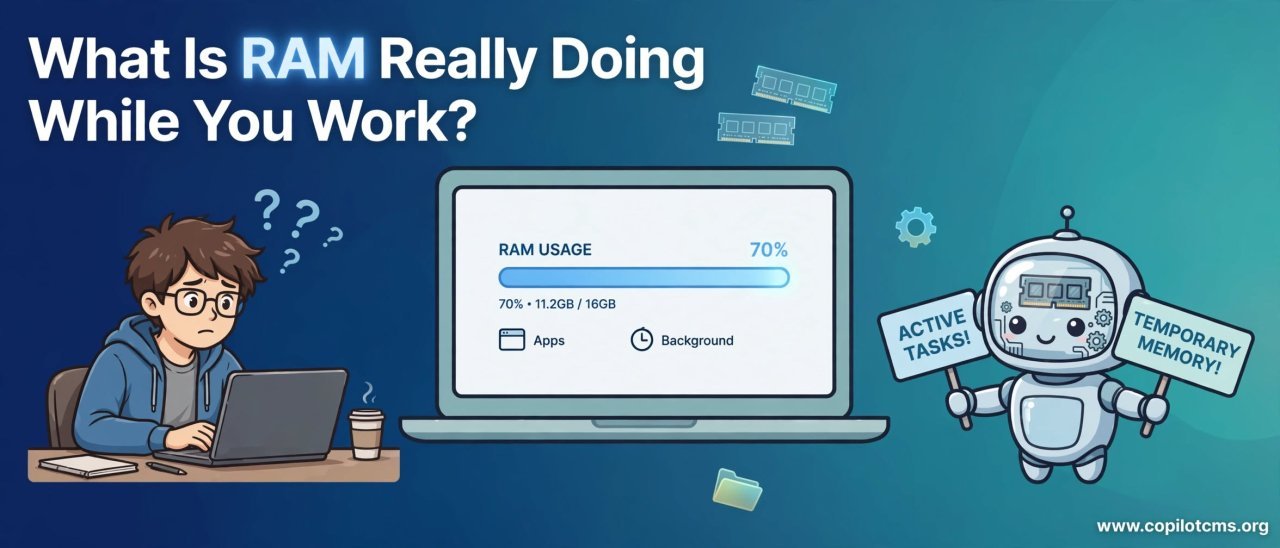
Every time you open a browser tab, edit a document, switch between apps, or play a video — your computer or phone is constantly moving information in and out of RAM. But what exactly is RAM doing all day—and why does having more of it sometimes make such a noticeable difference?
What Is RAM?
RAM stands for Random Access Memory. It is a type of very fast, temporary computer memory that holds the information your computer is actively using.
The important word here is temporary. RAM is not designed to keep your files permanently. When you shut down your computer, the information stored in RAM disappears.
Your documents, photos, programs, and other files are normally stored on a storage device such as an SSD or hard drive. RAM is different: it provides a fast workspace where the computer can keep the information it needs right now.
The Real-World Version: Your Desk
Imagine that your computer is a person working in an office.
Your storage drive is like a filing cabinet. It can hold a huge amount of information, but you have to open a drawer and retrieve something whenever you need it.
RAM is the person's desk. Instead of constantly walking to the filing cabinet, they put the documents and tools they are currently working with directly on the desk.
A larger desk lets them keep more things within easy reach. A small desk may force them to repeatedly put things away and retrieve them again.
That is a useful way to think about RAM:
- Storage is where your information lives.
- RAM is where information is kept while it is being actively worked on.
- The CPU is like the worker performing the actual tasks.
What Happens When You Open a Program?
Suppose you double-click a web browser.
The browser is stored on your computer's storage drive. But the processor does not simply work directly from that storage every moment. The operating system loads the program's necessary data into RAM so that it can be accessed quickly.
A simplified version of the process looks like this:
- You click the browser icon.
- The operating system finds the browser's files on your storage drive.
- Relevant program information is loaded into RAM.
- The CPU works with that information.
- The browser uses RAM to keep track of the pages, data, and tasks it currently needs.
This happens extremely quickly, often before you have time to think about what is happening.
RAM Is Constantly Changing
RAM is not a storage shelf where information simply sits untouched. Its contents are constantly changing as you work.
For example, imagine that you open a word processor and begin writing an article. Parts of the application are placed in RAM. As you type, information about the document and the program's current state is continually being processed and stored in memory.
Then you open a browser. More information is loaded into RAM.
Then you open an image editor. More information is needed.
Then you switch back to the browser. The computer needs to keep enough information available for the browser to continue working smoothly.
RAM is therefore more like a constantly rearranged workspace than a permanent storage box.
What Does "Random Access" Mean?
The name Random Access Memory can sound complicated, but the idea is relatively simple.
It means that the computer can access locations in RAM directly rather than having to read everything in a particular sequence.
Think about a book.
If someone asks you to look at page 500, you can go directly to that page. You do not have to start at page 1 and read every page in between.
RAM works in a similar general sense: the computer can access the memory locations it needs without reading all the locations before them.
Why Doesn't the Computer Just Use the SSD?
You might reasonably ask: if an SSD can store programs and files, why do we need RAM at all?
The reason is that different types of computer memory are designed for different jobs.
An SSD is excellent for storing information persistently. It can hold your operating system, applications, photos, videos, and documents even when the computer is turned off.
RAM, on the other hand, is designed to provide a fast working area for information that the computer is actively using.
Using the desk analogy, the SSD is the filing cabinet and RAM is the desk. You need both because a filing cabinet and a desk solve different problems.
What Happens When You Open Many Programs?
Every program you open may need some amount of RAM.
One program might use relatively little. Another might need much more. A web browser with many tabs, for example, can use a significant amount of memory because different tabs and browser processes may need to remain available.
As you open more programs, the amount of RAM currently being used can increase.
For example, you might have:
- A web browser with several tabs open.
- A word processor containing a large document.
- A music application playing audio.
- An image editor.
- An email application.
- Background programs and operating-system services.
All of these activities can require memory at the same time.
What Happens When RAM Starts Filling Up?
This is where RAM becomes especially important.
Imagine your desk becoming covered with papers. At first, everything is easy to reach. As the desk fills up, you have less room to work.
Eventually, you may have to put some documents back into the filing cabinet to make room. When you need them again, you have to retrieve them.
A computer has mechanisms that can similarly move less-active information between RAM and storage when necessary. This is often described using terms such as virtual memory, paging, or swap.
Because storage is generally slower than RAM for this kind of active memory work, relying heavily on it can make the computer feel sluggish.
Why Does a Computer Become Slow When Memory Is Under Pressure?
Suppose you are working at a small desk and have too many papers around you.
You spend less time actually writing and more time moving things around.
A computer experiencing heavy memory pressure can have a similar problem. Instead of keeping everything it needs readily available in RAM, it may need to move information between RAM and storage more frequently.
This can result in symptoms such as:
- Applications taking longer to respond.
- Windows or menus feeling sluggish.
- Switching between applications taking longer.
- Programs temporarily appearing to freeze.
- Storage activity increasing while the computer feels slow.
However, RAM is not the only possible cause of a slow computer. A slow storage drive, an overloaded CPU, insufficient graphics resources, overheating, background processes, or software problems can also cause similar symptoms.
Does More RAM Always Make a Computer Faster?
No.
This is one of the most common misunderstandings about RAM.
Adding RAM does not automatically make every computer perform twice as fast. If your computer already has enough RAM for the tasks you perform, adding more may make little noticeable difference.
More RAM becomes particularly useful when your existing amount is frequently insufficient for your workload.
For example, a computer with enough RAM to comfortably handle your normal tasks may not become dramatically faster after an upgrade. But a computer that regularly runs out of usable memory may become much more comfortable to use with additional RAM.
RAM Capacity vs. RAM Speed
Two different characteristics of RAM are often confused: capacity and speed.
RAM Capacity
Capacity describes how much memory the computer has available. It is usually measured in gigabytes (GB).
You can think of capacity as the size of your desk.
A larger desk gives you more room to keep things available at the same time.
RAM Speed
RAM also has performance characteristics related to how quickly it can transfer information.
Using the desk analogy, imagine two desks of exactly the same size. One worker might be able to move papers around more quickly than another because their workspace is more efficient.
In real computers, memory performance is more complicated than simply looking at one speed number, because factors such as memory generation, timings, the processor, and the motherboard can affect the overall result.
For everyday users, however, having enough RAM for the workload is often more important than chasing extremely high memory speeds.
Why Does RAM Usage Increase Even When You Aren't Doing Much?
You may open your computer, look at the memory usage, and wonder why RAM is already being used when you have barely opened anything.
This is normal.
Your operating system itself needs memory. Background services, drivers, security software, system components, and other applications can also occupy RAM.
Modern operating systems may also use available memory to keep frequently needed information ready, improving responsiveness. In other words, seeing RAM being used is not automatically a sign that something is wrong.
Free RAM Isn't Necessarily "Better"
It is tempting to think of RAM like an empty cupboard: the more empty space, the healthier the computer must be.
That is not quite how modern operating systems work.
If the computer can use otherwise-unused memory to keep useful information ready, that memory can contribute to better performance.
What matters more is whether the system has enough memory available to handle what you are asking it to do without constantly struggling to move information between RAM and storage.
What Happens to RAM When You Close a Program?
When you close a program, the operating system can reclaim memory that the program was using.
Imagine clearing papers from your desk after finishing a project. The space becomes available for your next task.
Some information may remain cached or managed in other ways, but the important point is that the memory associated with a finished task can generally be reused.
Why Does Restarting Sometimes Help?
Restarting your computer gives the operating system a chance to start its working environment again from a relatively clean state.
Programs that were using memory are closed, temporary processes end, and memory can be reorganized.
This is one reason restarting can sometimes make a computer feel more responsive.
However, if the underlying problem is that you regularly need more RAM than your computer has, restarting is only a temporary solution. Once you reopen the same demanding programs, memory usage can rise again.
How Can You See What Is Using Your RAM?
On Windows, you can use Task Manager to see how much memory is being used.
Press Ctrl + Shift + Esc to open Task Manager, then look at the Performance section and select Memory.
You can also look at the processes or applications using memory to identify programs consuming a large amount of RAM.
This can be useful when your computer feels slow and you want to determine whether memory pressure is part of the problem.
Why This Matters in Everyday Computing
RAM affects how comfortably your computer can handle multiple tasks at once.
Consider the difference between these two situations.
In the first, you have a browser with a couple of lightweight tabs open and a simple document.
In the second, you have dozens of browser tabs, a large spreadsheet, a photo editor, a video call, and several other applications running simultaneously.
The second situation requires a much larger working space.
That is why the amount of RAM that feels comfortable depends heavily on what you actually do with your computer.
RAM and Multitasking
One of RAM's most important practical roles is helping your computer keep multiple tasks available at the same time.
Imagine a chef preparing several dishes. If all the ingredients and tools needed for the current dishes are within reach, the chef can move between them efficiently.
If the kitchen is too small, the chef has to repeatedly put things away and retrieve them.
Similarly, having enough RAM allows a computer to keep more active information readily available while you move between applications.
RAM Is Not the Same as Storage
This distinction is worth remembering because RAM and storage are frequently confused.
- RAM: Temporary working memory used by the computer while it is running.
- SSD or hard drive: Long-term storage for your operating system, programs, and personal files.
- RAM contents: Normally disappear when the computer loses power.
- Storage contents: Remain when the computer is turned off.
So if someone says, "My computer has 512 GB of storage and 8 GB of RAM," those numbers describe two completely different things.
Why Can't RAM Replace Storage?
RAM is fast, but it is not intended to be your permanent filing cabinet.
Imagine trying to keep your entire office archive spread across your desk. Even if the desk were enormous, it would be a strange and inefficient way to organize years of documents.
Storage is designed to retain large amounts of information even when the computer is turned off. RAM is designed to provide a fast workspace while the computer is operating.
Computers therefore use both because each has a different job.
What About RAM in Phones and Tablets?
The same basic idea applies to smartphones and tablets.
When you open an application, the device needs working memory to keep the application's active information available.
If you switch between several applications, the operating system may try to keep them ready in memory so that you can return to them quickly.
If memory becomes constrained, the operating system may have to free memory or reload applications when you return to them. This is one reason a phone may sometimes refresh an application instead of returning you exactly to where you left off.
Common RAM Misunderstandings
"RAM Stores My Files Permanently"
No. Your files are normally stored on persistent storage such as an SSD or hard drive. RAM is primarily temporary working memory.
"If RAM Is 80% Used, Something Is Wrong"
Not necessarily. The operating system may intentionally use available memory for useful purposes. High usage alone does not prove that the computer has a problem.
"More RAM Always Means a Faster Computer"
Not necessarily. More RAM can help when memory capacity is a limitation, but it cannot automatically fix every performance problem.
"RAM and Storage Are Basically the Same Thing"
No. They both hold information, but they serve very different purposes. RAM is the computer's active workspace; storage is its long-term filing system.
When Should You Consider More RAM?
An upgrade may make sense when your normal workload regularly pushes your computer's memory capacity to its limits.
Signs can include:
- Frequent slowdowns when several applications are open.
- Applications becoming unresponsive during multitasking.
- Frequent storage activity while you are simply switching between programs.
- Browser tabs repeatedly reloading when you return to them.
- Task Manager consistently showing very high memory usage during your normal workload.
Before buying RAM, however, check whether your computer actually supports an upgrade. Some laptops and small devices have memory soldered directly to the motherboard and cannot be upgraded easily.
A Simple Way to Think About RAM
If you remember only one analogy, remember the office.
Your storage drive is the filing cabinet. RAM is the desk. The CPU is the worker.
The filing cabinet can hold enormous amounts of information for a long time. The desk holds the information currently needed for the job. The worker uses that information to perform calculations and make decisions.
A bigger desk does not make the worker magically smarter or faster. But if the desk is constantly overflowing, giving the worker more workspace can make the entire job much smoother.
The Takeaway
RAM is the computer's fast, temporary workspace. Whenever you open programs, switch between tasks, edit files, browse the web, or perform other activities, your computer uses RAM to keep the information it currently needs readily available.
Think of RAM as your computer's desk: enough space lets you keep more things within reach, while too little space can force the computer to spend more time moving information around. The goal is not to have as much RAM as possible, but to have enough for the work you actually do.